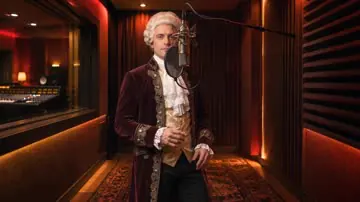
Hotel Lobby15-second example · 480p · 16:9
CREATE YOUR AI RAP VIDEO
AI Rap Video Generator
Use the AI Rap Video Generator in two ways: add permitted photos to a preset viral scene, or upload one performer photo and select a 30-second segment from an existing MP3 or WAV. The tool creates video performances; it does not generate original lyrics, beats or vocals.
Template
10 credits
SEE THE SCENES
Watch AI Rap Video Generator Examples
Viral Template cards show complete example clips. Rap to Video cards show 15-second style previews; generated Rap to Video clips are 30 seconds. Your video uses your submitted media to create a unique performance.
Burning Bridges30-second example · 480p · 16:9
Bulin 4723-second example · 480p · vertical
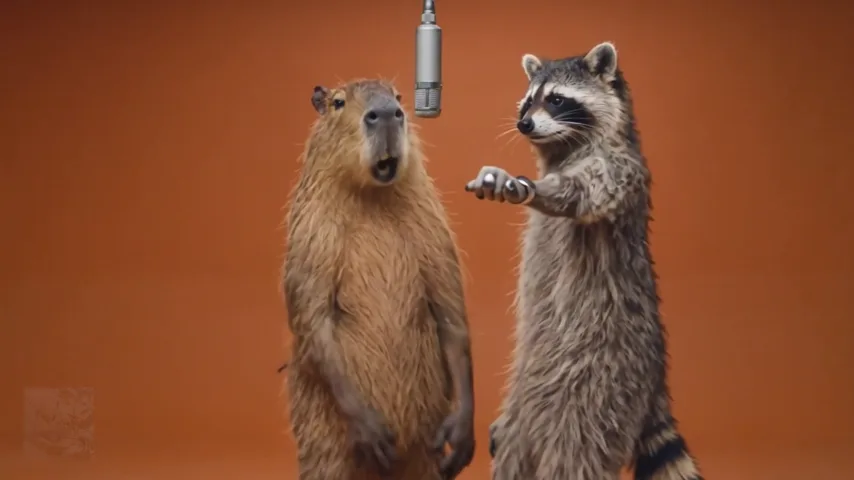
Radio Freestyle15-second style preview · 480p · 9:16
Booth Freestyle15-second style preview · 480p · 16:9
Street Mic15-second style preview · 480p · 9:16
VIRAL TEMPLATES
Choose Your Viral AI Rap Video Template
For AI Rap creators, choose a viral rap video template that fits your group. Hotel Lobby is an AI Rap Duo Video option: its two-photo rap video setup requires one single-person photo for each performer. Each card shows the required cast, length and supported quality.
01 / TEMPLATE
Hotel Lobby
Two performer photos
5, 10 or 15 seconds · 480p or 720p · 16:9
Select Hotel Lobby in studio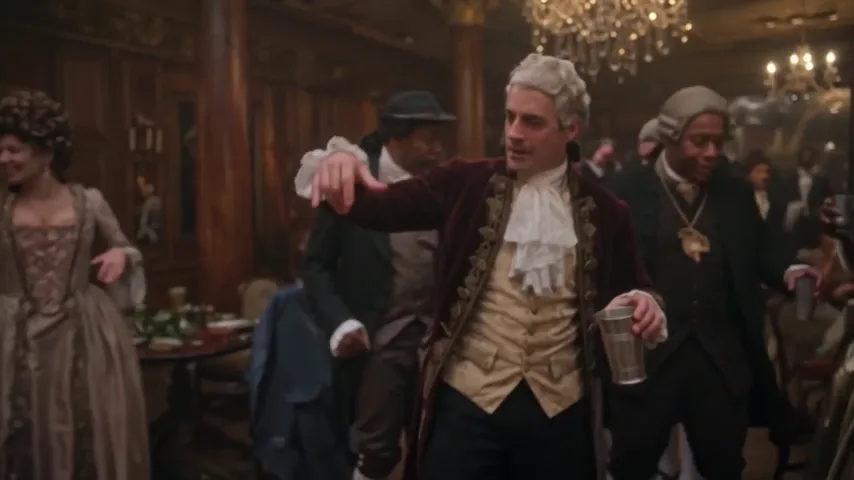
02 / TEMPLATE
Burning Bridges
One lead · up to five supporting performers
15 or 30 seconds · 480p or 720p · 16:9
Select Burning Bridges in studio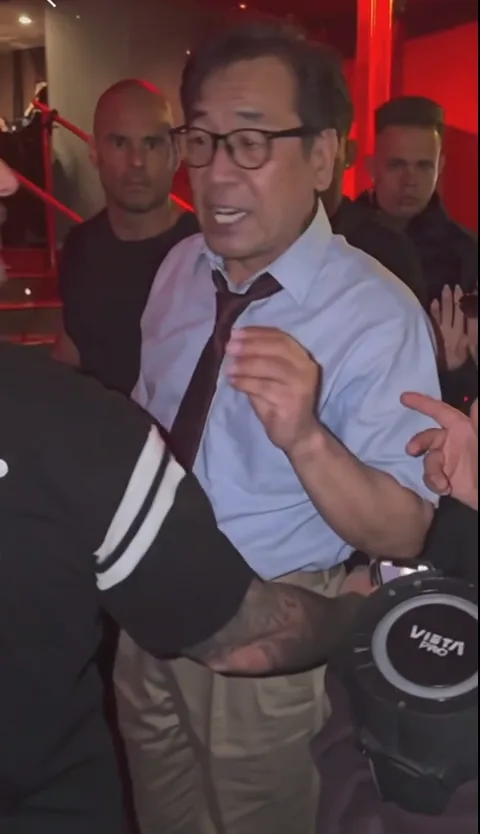
03 / TEMPLATE
Bulin 47
One lead · up to four optional people
About 23 seconds · 480p or 720p · vertical
Select Bulin 47 in studioYOUR TRACK, YOUR CLIP
AI Rap Video with Your Own Song
Upload an MP3 or WAV and one photo. Choose a 30-second segment, style, format and resolution. Your selected song segment guides the performer’s mouth movement and timing. Results can vary between generations, especially during fast lyrics or side-facing shots.
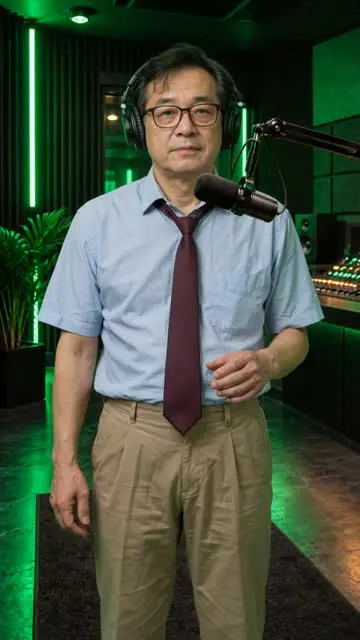
 Generated Rap to Video examples
TESTED RAP TO VIDEO EXAMPLE
30-Second Rap to Video Result
Created with the same Rap to Video workflow available on this page.
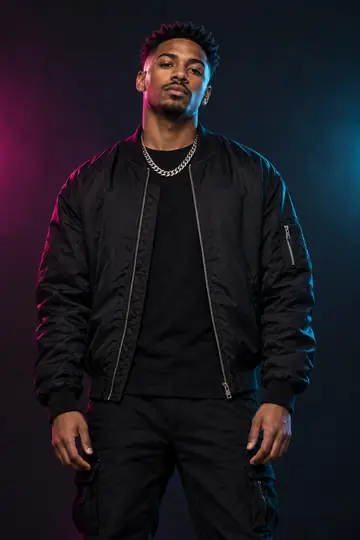
Radio Freestyle9:16720p30 sec
Input
One fictional performer image and a separately prepared original test rap.
- Audio
- 0:00-0:30
- Post-processing
- None
- Generated
- October 26, 2026
Result note. The selected song segment guided the performer’s mouth movement and timing. Facial details, hands and timing may vary between generations. The test rap was prepared separately; AI Rap Video did not generate its lyrics, beat or vocals.
HOW TO
How the AI Rap Video Generator Works
Choose a photo to rap video path, add your authorized media, then create and download your video.
Choose how to create
Pick a Viral Template with preset audio, or choose Rap to Video for your own MP3 or WAV.
Add photos & generate
Add the requested photos and song where needed, choose the settings, check the credits and create your video.
Download & post
Find the finished MP4 in History, then download and share it.
Rap to Video uses your selected song segment to guide the performance timing and mouth movement; results can vary between generations.
WHY CHOOSE
Why Choose Our AI Rap Video Generator?
The AI Rap Video Maker supports a ready-made viral scene or a performance with your own song, with more templates added over time.
Fresh Viral Templates
Start with Hotel Lobby, Burning Bridges or Bulin 47. New scenes, performer setups and formats will be added as the library grows.
Create With Your Crew
Use separate photos for two-person or larger group scenes without getting everyone into the same studio or location.
Use Your Own Song
Select a 30-second segment from your MP3 or WAV, then choose the performance style, format and resolution.
Clear Costs Up Front
See the required inputs, available settings and exact 5 or 10-credit cost before you create.
PRICING & CREDITS
AI Rap Video Generator Pricing & Credits
Every video costs 5 credits at 480p or 10 credits at 720p.
No subscriptionCredits never expireSave up to $4.60
3-Pack · USD 27.90
3 HD 720p videos · 30 credits included · no subscription
By selecting Pay with PayPal, you agree to our Terms and acknowledge our Privacy Policy and Refund Policy. You confirm that you are at least 18 and are authorized to use this payment method.
AI Rap Video Generator Quick Facts
Compare the required media, audio, length and output before you choose a creation mode.
Viral Templates
Best for ready-made scenes with preset music.
- Photos
- Varies by template
- Audio
- Preset soundtrack
- Length
- 5 to 30 seconds
- Format
- 16:9 or vertical
- Quality
- 480p or 720p
Rap to Video
Best for creating a performance with your own song.
- Photos
- One performer photo
- Audio
- One 30-second segment from your MP3 or WAV
- Length
- 30 seconds
- Format
- 9:16 or 16:9
- Quality
- 480p or 720p
AI Rap Video creates short performance clips for quick AI Rap projects. It is not a full-song AI Rap Music Video Generator: it does not generate original lyrics, beats or vocals, or produce a full-length, multi-scene music video.
Last reviewed .
QUESTIONS
AI Rap Video Generator FAQ
Learn how the generator works, which inputs produce better results, what each mode creates and what a video costs. Still need help? Contact us
01What is AI Rap Video?
AI Rap Video is a browser-based AI Rap Video Maker for creating short rap performance clips from permitted photos. Use a Viral Template for a ready-made scene with preset audio, or choose Rap to Video to animate one performer photo with a 30-second segment from your own MP3 or WAV.
02How do I make an AI rap video from a photo?
Choose a Viral Template or Rap to Video, upload the requested performer photo or photos, and confirm that you have permission to use them. The result is an AI Rap Video from Photos you are permitted to use. Select the available video settings, review the credit cost, and create the video. When it is finished, you can play and download the MP4 from History.
03Can I make an AI rap video with my own song?
Yes. Rap to Video accepts an MP3 or WAV from 30 seconds to 5 minutes long and up to 50 MB, then lets you select one 30-second segment for the performance. Viral Templates keep their preset audio. AI Rap Video does not generate new lyrics, beats, vocals or a full-song music video.
04Should I choose a Viral Template or Rap to Video?
Choose a Viral Template when you want a ready-made scene, camera treatment and preset soundtrack. Choose Rap to Video when you want one performer to use a 30-second segment from your own MP3 or WAV. Neither mode creates a full-length, multi-scene music video or an editable storyboard.
05Which photos work best for an AI rap video?
Use clear, well-lit photos with the face and mouth visible, and avoid heavy filters, small faces or objects covering the face. Rap to Video needs one performer photo; Viral Templates show their required cast before you create. Upload JPG, PNG or WebP files up to 10 MB, and use only photos you are permitted to use.
06How accurate is the lip sync in Rap to Video?
Your selected song segment guides the performer’s mouth movement and timing, but the result is not guaranteed to match every word exactly. Clear vocals and a front-facing photo give the model better input. Fast lyrics, side-facing shots, facial obstructions, hands and identity details may still vary between generations.
07How long are the videos, and which formats are available?
Rap to Video creates a 30-second MP4 in 9:16 or 16:9 at 480p or 720p. Hotel Lobby offers 5, 10 or 15 seconds in 16:9; Burning Bridges offers 15 or 30 seconds in 16:9; and Bulin 47 creates a vertical clip of about 23 seconds. All three Viral Templates support 480p and 720p.
08How much does an AI rap video cost?
Each video uses 5 credits at 480p or 10 credits at 720p. Current paid plans start at $34.90 per month for 40 credits, enough for eight 480p videos or four 720p videos. Registration does not include free generation credits, and the current plan prices are shown before checkout.
09What happens if video generation fails?
The required credits are reserved when you submit a video. If the generation fails or is blocked, those reserved credits return to your balance automatically. A completed result can still contain normal AI variations, which are different from a failed task.
10Can I download and post my AI rap video?
Yes. Finished videos are saved as MP4 files in History, where you can play or download them; the paid plans shown on this page include watermark-free 720p MP4 output. Before posting, make sure you have permission to use every photo and audio track, and follow the destination platform’s rules for copyrighted music and AI-generated media.
YOUR NEXT VIDEO
Ready to Make Your AI Rap Video?
Choose a viral template or use your own song, add authorized media and let the AI Rap Video Generator show the exact credits before you create.
Open the studio